


In a world where frontend frameworks come and go like fashion trends, Webix has stayed true to its core. While others have chased hype cycles, we’ve kept our feet on the ground: building a UI library that’s relentlessly fast, data-centric, and developer-first.

Since 2013, we’ve had one mission: help developers build complex interfaces without complexity. Twelve years later, that mission hasn’t changed and neither have the principles that set us apart.
Lightweight by Nature, Scaled by Demand
In 2013 Webix launched with just 26 widgets and a gzipped size of around 90 KB. Fast-forward to 2025, and our vanilla JavaScript library now includes 114 widgets which means a 4.3× increase in functionality, while the size has grown to only ~247 KB, just 2.7× larger.
We added nearly five times more components, including advanced widgets, layouts, and enterprise-grade tools without bloating the core.
Webix scaled in features, not in footprint.
Performance: Promised and Delivered
Let’s rewind to 2013 again. That’s when we first tackled a problem most developers were struggling with: how to work with massive datasets in the browser without hacking around performance bottlenecks.
While others were busy cobbling together their own virtualization layers or trimming features to keep the UI responsive, Webix simply delivered a grid that worked — fast, smooth, and out of the box.
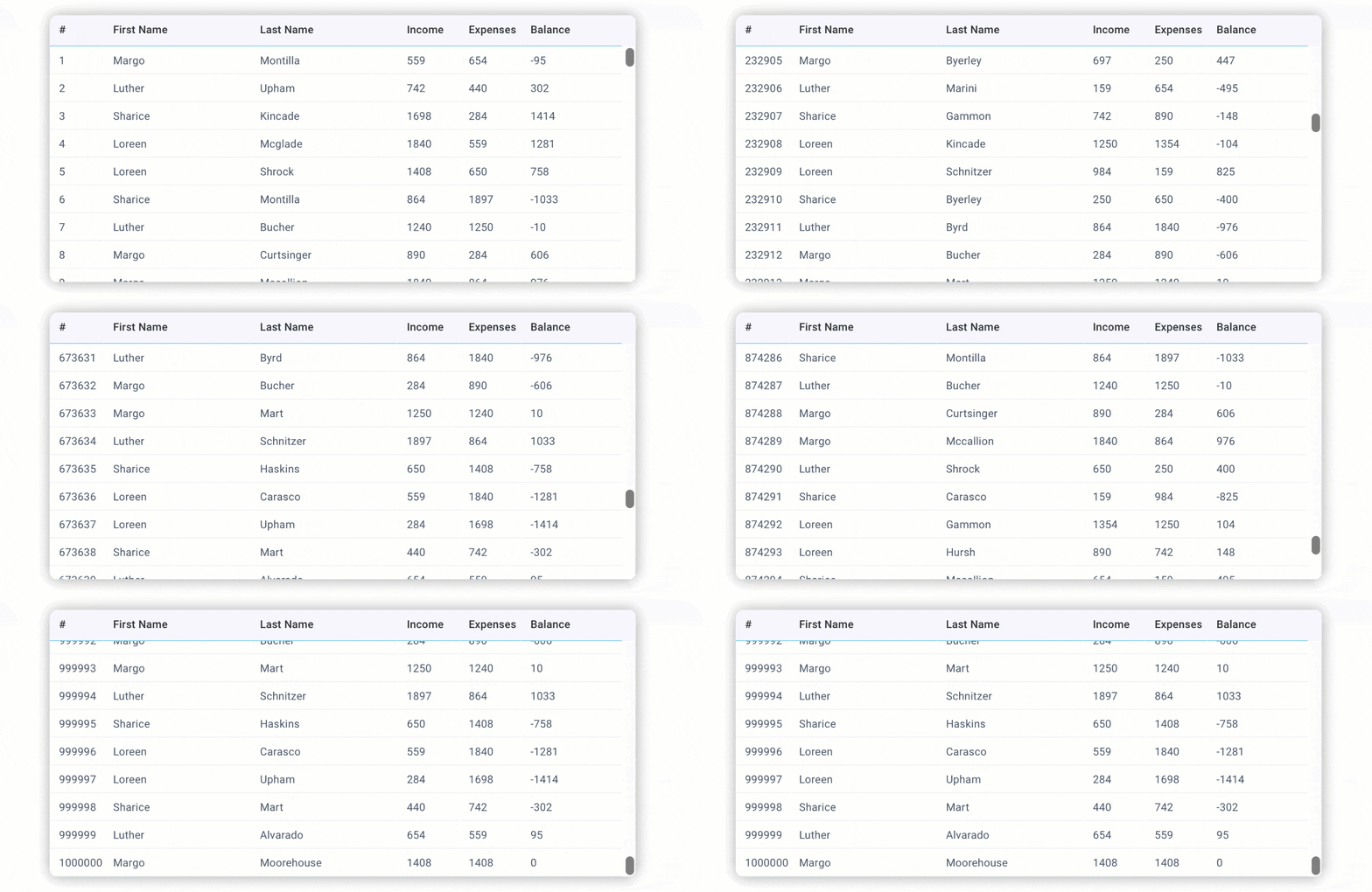
No lag. No configuration hell. No need to “optimize later.”
This wasn’t about flashy innovation. It was about solving a real problem cleanly, and making developers’ lives easier.
Twelve years later, that same promise still holds.
With more data, heavier components, and increasingly dynamic UIs Webix still performs among the best in class, without forcing you to configure virtualization or compromise on features.
Webix JavaScript Datatable delivers top-tier performance out of the box for both flat and hierarchical datasets in DataTable and TreeTable. By the way, today Datatable is still part of the Webix Core package, but we have some exciting updates coming soon. Stay tuned!
Declarative JSON-Based UI: Born Before It Was Trendy
Before “low-code” became a buzzword, Webix pioneered a JSON-first approach to building interfaces. No HTML templates. No brittle markup. Just clean, structured configuration.
This architecture wasn’t just futuristic, it was pragmatic. And it still is.
With Webix’s declarative UI model, you can:
- Generate UI from the server-side response, enabling easier integration with backend-driven apps;
- Reconfigure layouts dynamically at runtime, without tearing down your app;
- Maintain deeply nested views with clarity and consistency.
JSON-first UI is now common across modern tools, but Webix didn’t follow the trend. We started it.
Predictable APIs, Since Day One
Another thing that’s worth to be mentioned is predictability. In an industry plagued by breaking changes and inconsistent documentation, Webix has taken a different approach:
- Minimal, composable API surface: fewer concepts, more power.
- Stable architecture: new versions rarely require refactors.
- Exceptional documentation: praised by dev teams from day one.
Whether you’re building a simple CRM or a complex logistics dashboard, you can rely on Webix to behave predictably. and to grow with your project, not against it.
Beyond UI: Full-Featured Business Widgets Built on Webix
In 2013, developers loved that they could build a datatable with filters in under 10 minutes.
In 2025, that’s still true, but now, that same stack powers enterprise-grade apps across banking, logistics, healthcare, and manufacturing. Webix isn’t just a UI toolkit, it’s a foundation for real-world business apps.
Over the years, we’ve built a full suite of ready-made widgets targeting the everyday needs of internal tools, enterprise dashboards, and SaaS products. Most of them are designed as single-page apps using Webix Jet and are powered by native Webix UI components under the hood.
We’ve already discussed why enterprises choose Webix for complex data management apps in our blog. Now let’s look at a few widget bundles that can jumpstart your next project and solve real business problems out of the box.
Planning, Scheduling & Workflow
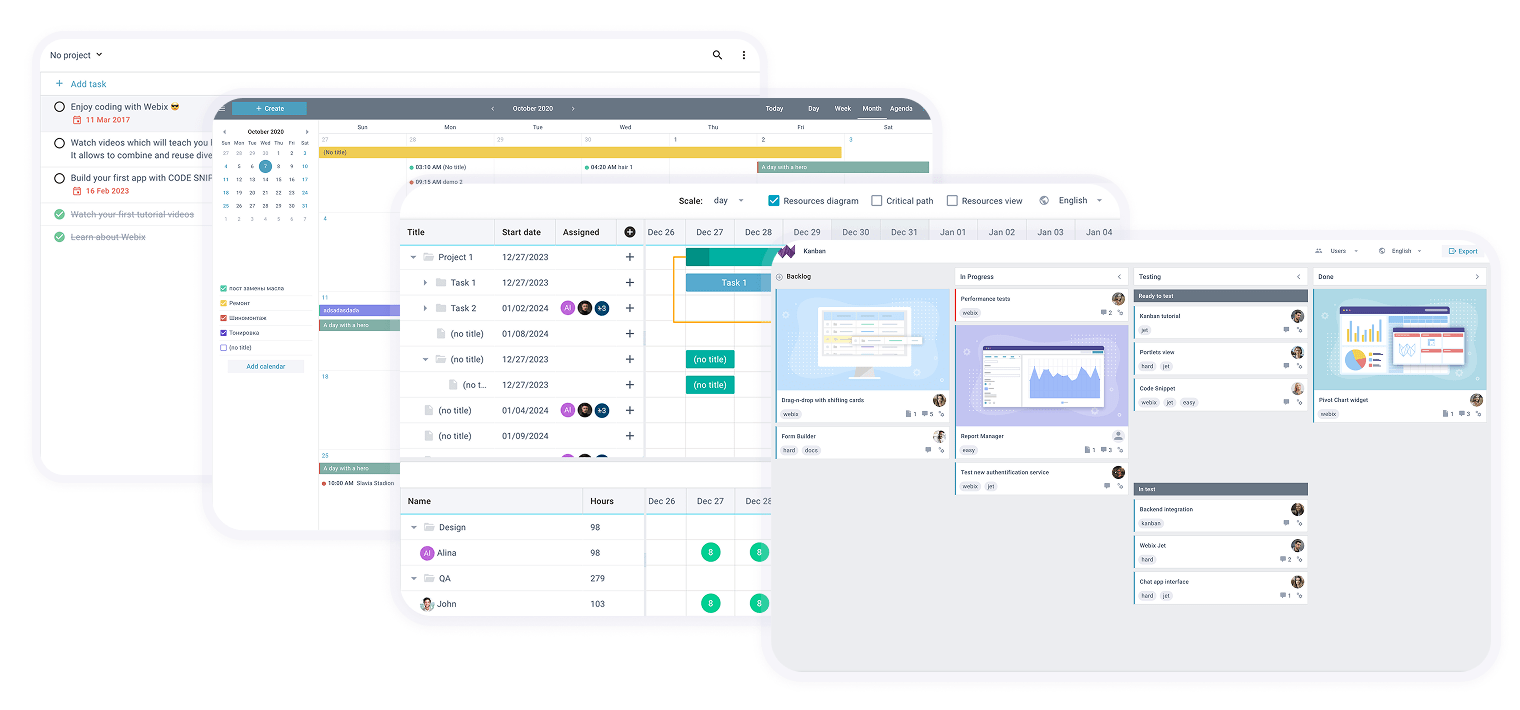
These widgets help teams manage tasks, events, and processes visually and efficiently.
- To Do List – Lightweight personal or team task tracking.
- Scheduler – Time management and event scheduling.
- Gantt – Project timelines, task dependencies, and resource allocation.
- Kanban – Drag-and-drop board for workflow and status tracking.
Perfect for project management apps, team productivity tools, and resource planning systems.
Working with Structured and Analytical Data
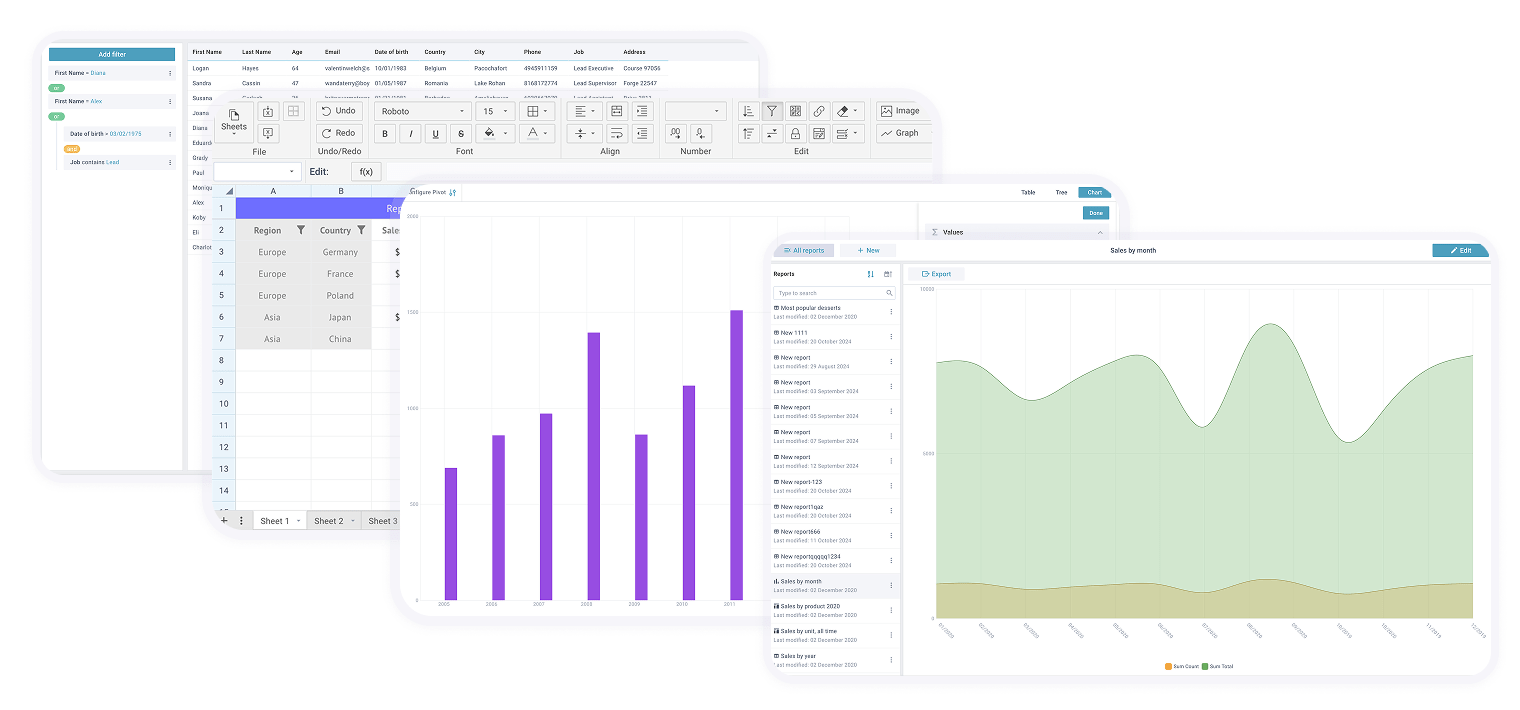
If your app deals with heavy data, reports, or complex filtering, these widgets do the hard work for you.
- Query – Visual SQL query builder for filtering and data exploration.
- Spreadsheet – Excel-like editing with formulas and validation.
- Pivot Table & Chart – Drag-and-drop data aggregation, slicing, and visualization.
- Report Manager – Interactive report creation, customization, and export.
Use these for business intelligence dashboards, internal analytics, financial apps, or admin panels.
File, Document, and Content Management
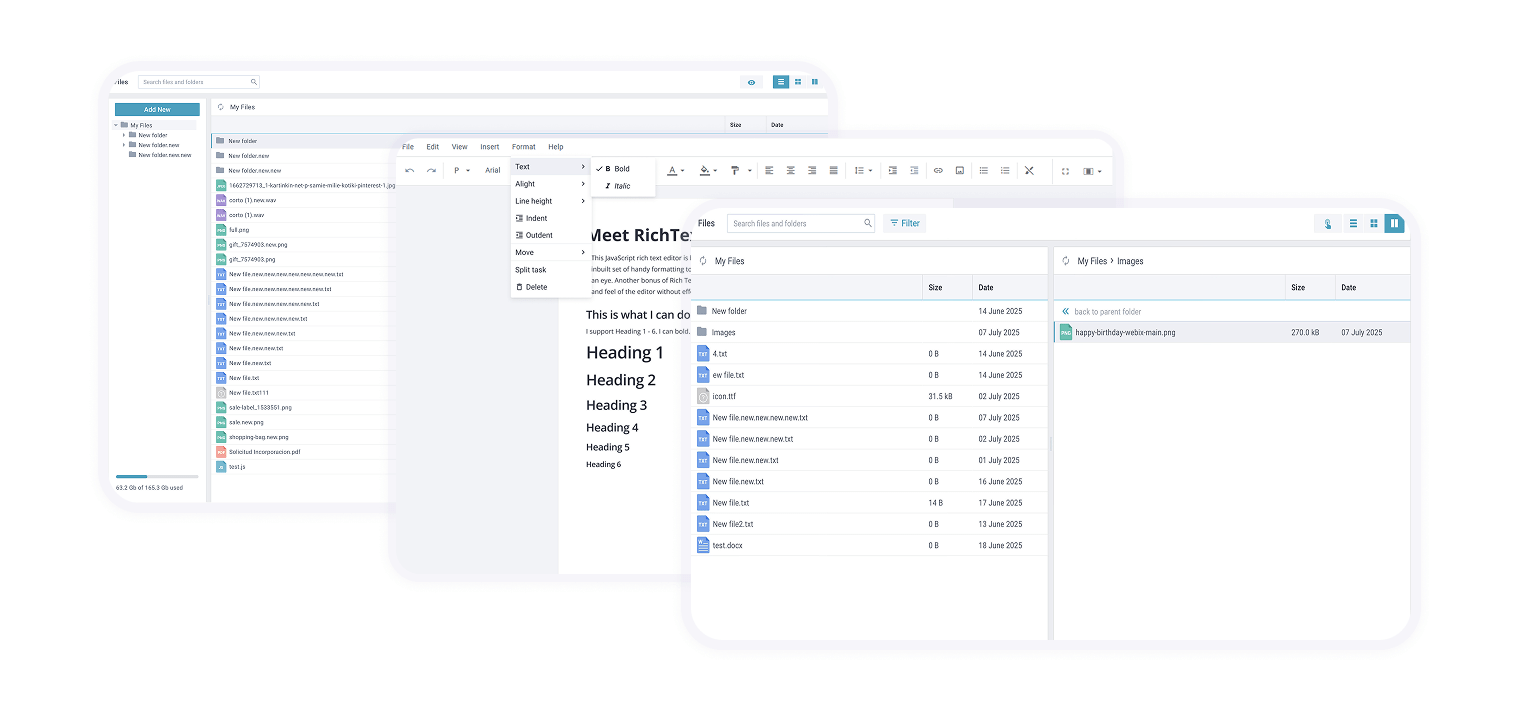
For teams managing files, documents, or collaborative content, these widgets offer a complete solution.
- File Manager – Browse, upload, preview, and organize documents.
- Rich Text Editor – Advanced document formatting and text editing.
- Document Manager – Edit and version control for a wide range of file types.
Great for building knowledge bases, content portals, intranet tools, or CMS platforms.
Collaboration & Access Control
Enable communication, user access, and diagramming within your applications.
- Diagram – Visualize workflows, systems, or decision trees with flowcharts and graphs.
- Desktop – Simulated desktop environment with multi-window app management.
- Chat – Real-time private and group messaging.
- User Manager – Manage roles, permissions, and access rights.
These are ideal for HR tools, customer portals, admin dashboards, or full remote systems.
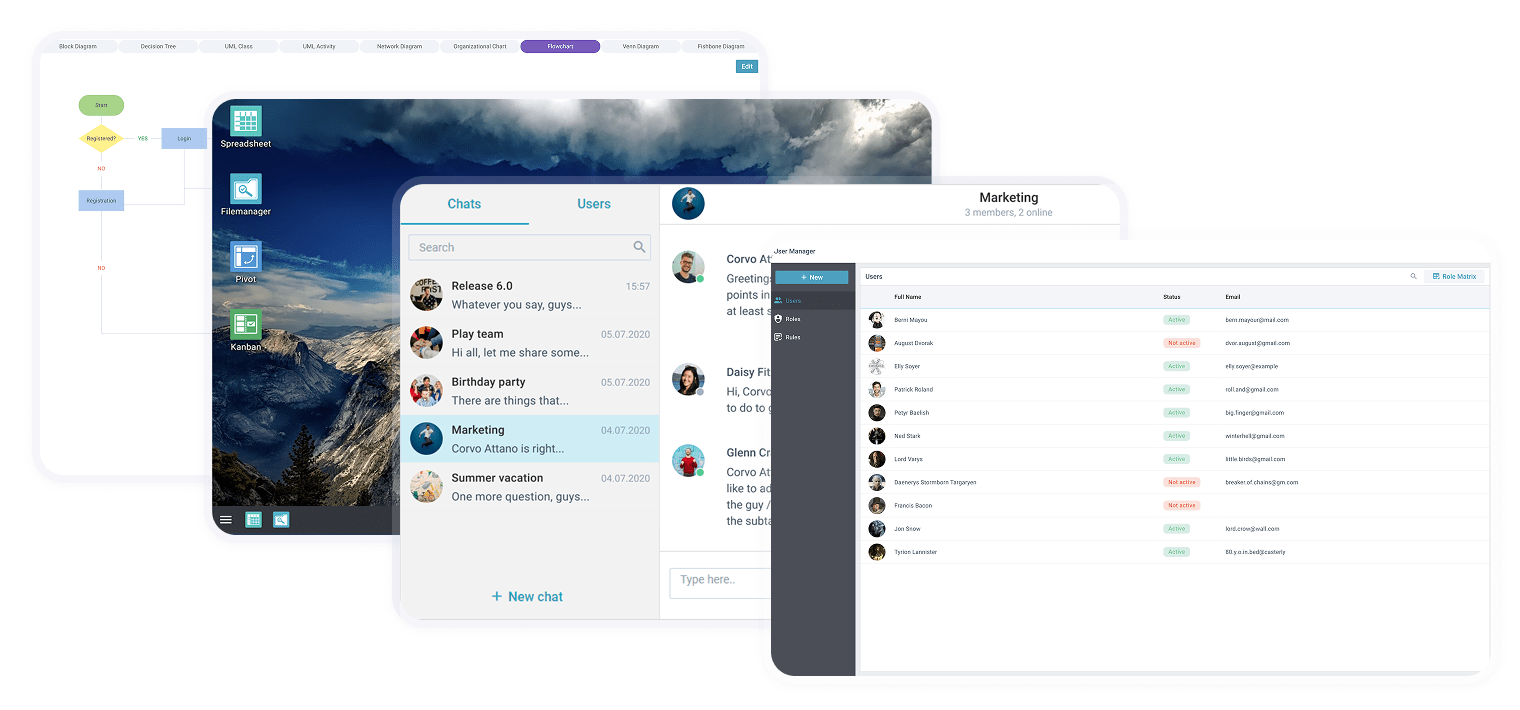
Built with Webix, Powered by Webix
All complex widgets we mentioned are built using Webix UI and Webix Jet, and come with full source code for complete flexibility.
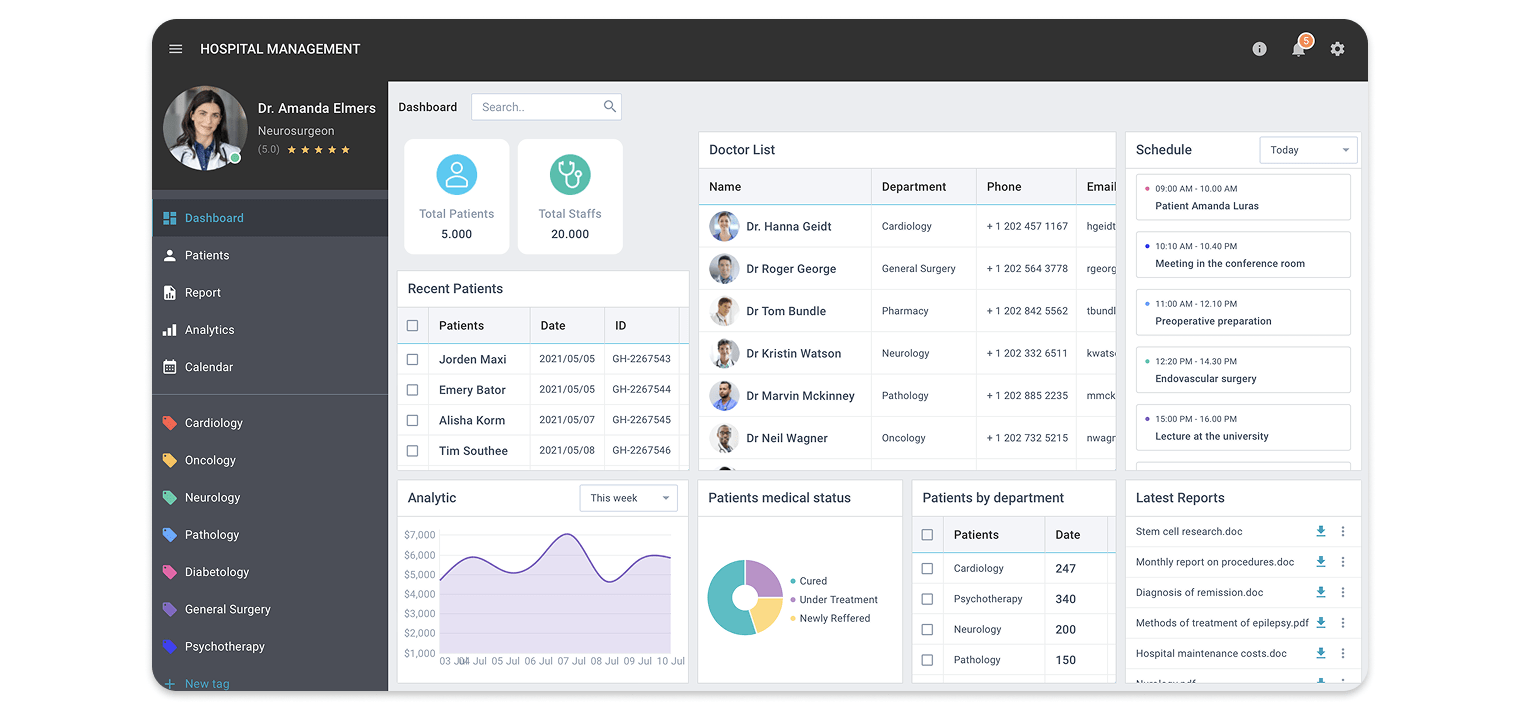
They showcase just how much you can achieve with Webix — and let you fast-track development with solutions that already work beautifully, scale smoothly, and handle business logic out of the box.
Check out the What’s New page for a detailed breakdown of all recent Webix updates and optimizations. To get the latest version of the library, upgrade via npm, the Client Area, or use the button below. Have questions or ideas? Join the discussion on our forum.