


Hey everyone!
We continue to publish real showcases of customer applications built with Webix UI for enterprise and SaaS use cases. Today we’d like to share a new article from SFM BV about their product called XLReporting.
About SFM BV and XLReporting
“We are a team of finance, accounting, and IT experts in the Netherlands. We specialize in information management, and provide solutions and services to our corporate clients for financial management, consolidation, budgeting, and reporting. Our clients vary in size from SME’s to large corporates across the world.
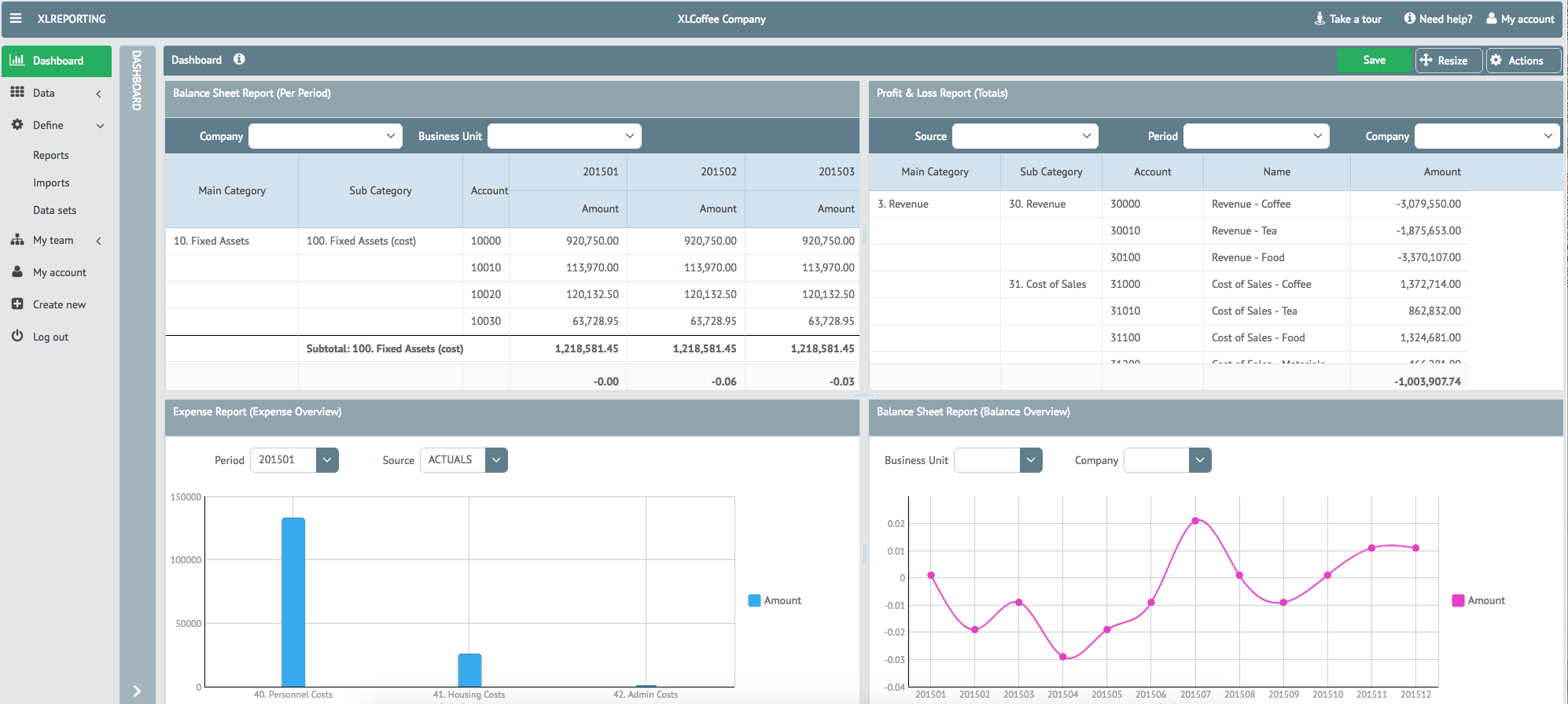
From Excel Add-In to Web-Based SaaS
Years ago we launched a very successful product called XLReporting at request of our clients, which has seen many versions and improvements ever since, and which enjoys a large installed user base. For years, the product has been a client-server solution with an Excel add-in and workbooks communicating to a back-end SQL Server instance, and it is still widely used and actively soldpurchased today.
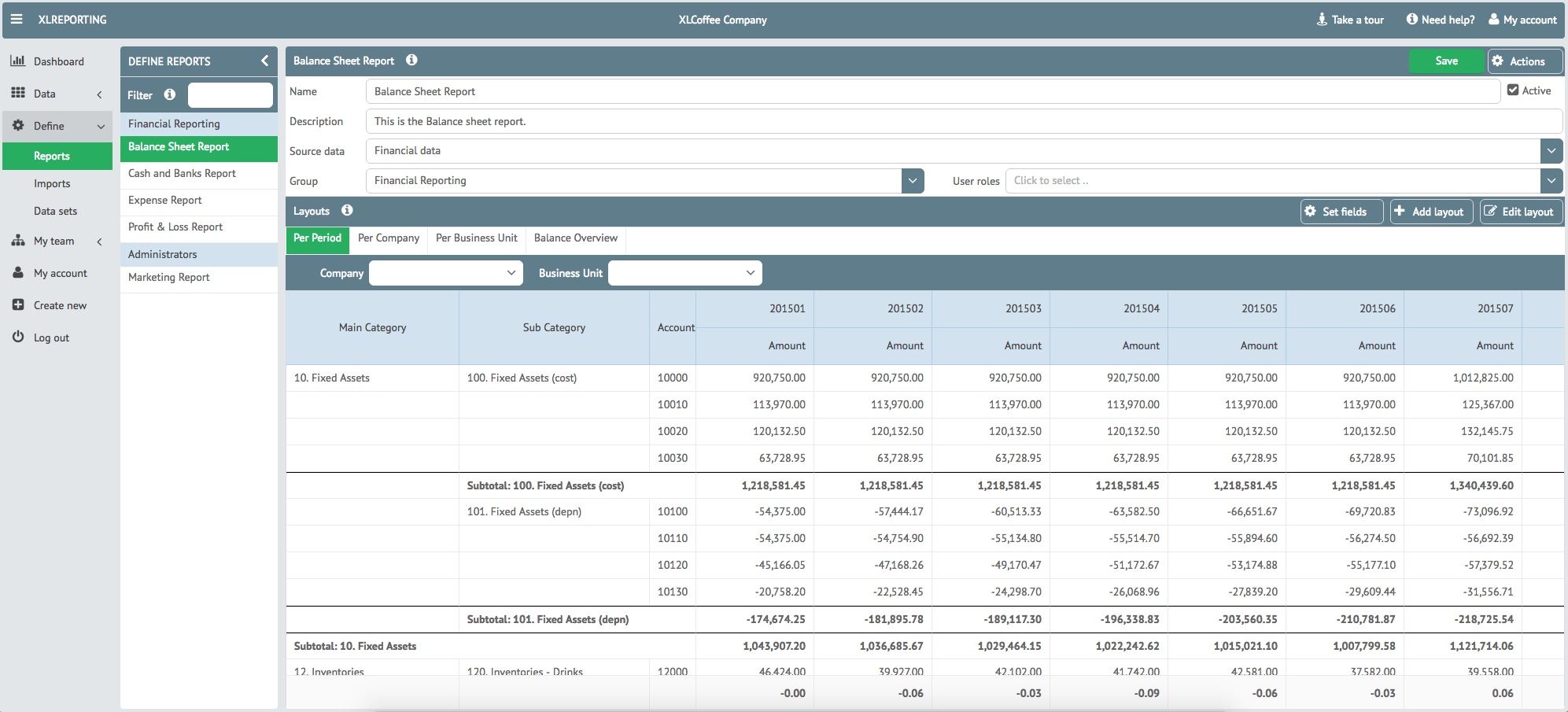
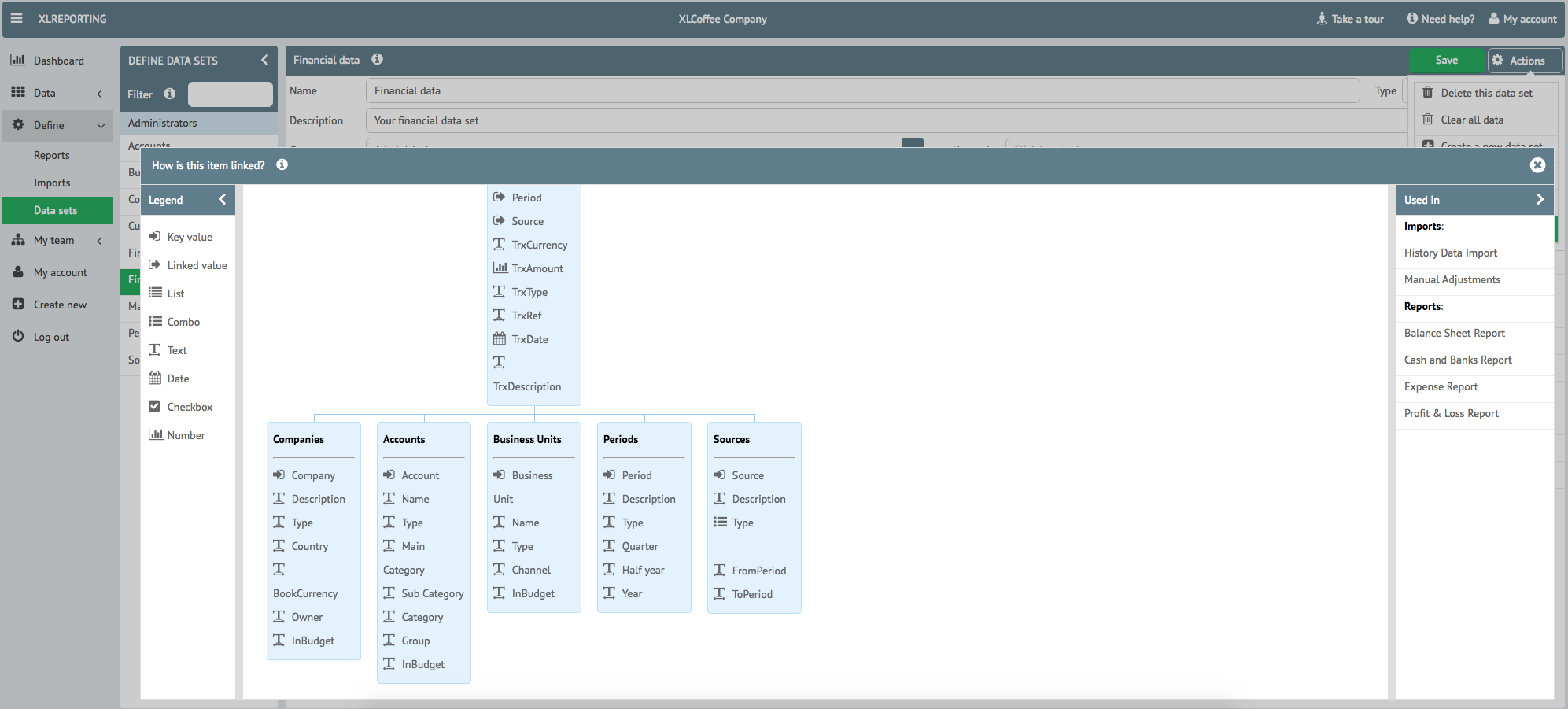
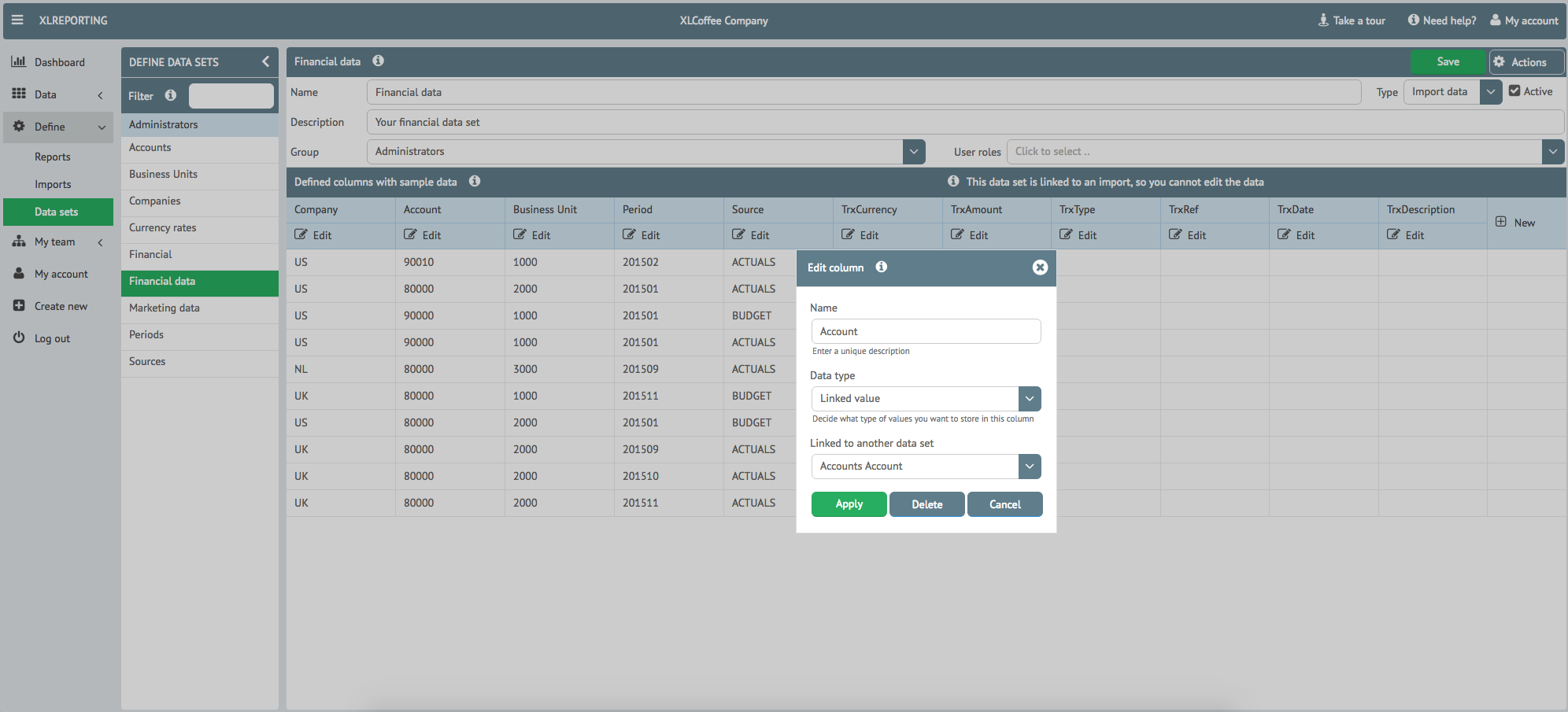
XLReporting provides users with a simple and intuitive way to build their own data model to hold their company data, import data from a large variety of sources (e.g. files, other systems, databases, API’s), and manage their financial consolidation, budgeting and reporting processes. It is multi-tenant and multi-user. It is a pragmatic alternative to the many high-priced solutions in the market.
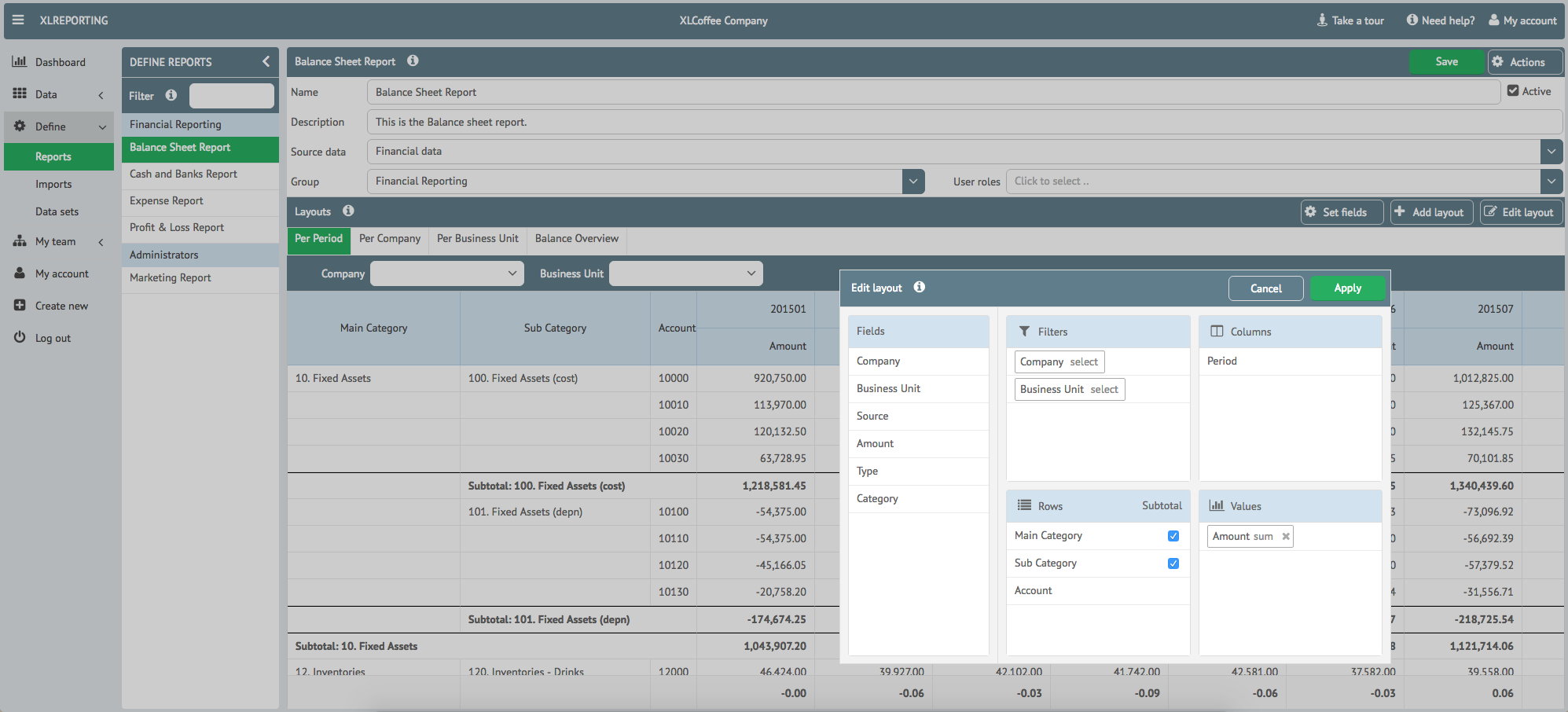
In 2015, we started to redevelop XLReporting as a true SaaS solution, transforming a traditional Excel-based client-server product into a fully web-based financial reporting platform. This version provides the same functionality but is now completely web-based, provides full integration with Excel, but it no longer requires any client-side installs or hosting. We host the solution in three geographic regions in the world, to enable our customers to keep their financial data in their regional jurisdiction, as well as to provide optimal response times. Powerful Excel features such as pivot tables, charts, automatic subtotals, formulas, data ranges, multiple sheets are now available in a fully web-based environment, supported by power database capabilities. Fully hosted so no installation required nor any technical hassle for the users. The solution allows users to build their own custom data model and financial reporting processes in an easy Excel-like manner without the constraints of Excel.
For more information, see www.xlreporting.com.
Why SFM BV Chose Webix
Johan from SFM BV gave us some useful insight in their choice for Webix:
“After evaluating different UI development platforms, we decided to use Webix and we have built our solution completely around the Webix platform. We continue to be impressed with the richness of its controls and API’s, the quality of its code, and the frequency of new releases. Our solution now heavily relies on the Webix platform, as well as its various UI extensions (JavaScript Pivot, Sidebar JS, Spreadsheet). We also engaged XB Software to develop custom ui extensions for us which were all delivered on time with the same quality as the base platform. Our experience with XB Software and Webix has been very good throughout.
Technical Architecture and Scalability
XLReporting is built as a REST API application (using NodeJS/NginX on the servers, and HTML5/CSS3/JS in the browser). It uses fast NoSQL database technology and is built to scale. The application is responsive, high performing, and offers maximum interactivity to the user.
We launched beta version 1 in April 2016 and are now signing up the first customers. Our plans are ambitious in terms of adding more features, and for a large part those plans rely on future releases of the Webix platform”.
***
Conclusion
We would like to thank Johan, Edgar, and the SFM BV team for sharing their experience and insights into building a modern financial reporting SaaS with Webix. The XLReporting story clearly demonstrates how Webix UI can support complex, data-intensive applications while remaining flexible, scalable, and user-friendly.
If you are developing a real-world application with Webix — whether it’s a SaaS product, internal enterprise system, or analytics platform — we’d be glad to feature your project and share your experience with the community.
Follow our blog to explore more Webix case studies, practical examples, and best practices for building powerful data-driven web applications.
By the way, the beginning of summer is the great time to try something new. So, don’t waste your time looking for some other ui extensions. Download our free trial version of Spreadsheet – one of our new ui extensions. This JavaScript and HTML5 widget is perfect for making feature-rich and good-looking spreadsheets. 😉
Stay tuned and enjoy Webix!