Webix Birthday Sale – Up to 25% OFF Celebrate with us and save on Webix licenses. Ends in: 0 Days Get the deal

WEBIX BLOG

Animation in Webix UI

While providing many UI options, Webix is quite short of animations. It can be easily changed though. Let’s check how to add nice animation effects for different Webix controls.

Carousel, MultiView, TabView

TabView is one of two components that have a built-in support for animation. When you are changing the active tab, a new one is shown with some animation. You can use the animate property to configure the details of animation

Code of demo

Using Third-party Libraries with Webix UI

Webix UI provides a lot of widgets, but it is just a tiny bit, as compared to the massive amount of different Open Source libraries. Fortunately, it is quite easy to wrap any custom library in Webix UI control.

Konva.js

As an example, I will use Konva javascript library.

How to Create Kanban Board with Webix

During the process of web development it’s highly important to organize the workflow and keep in touch with all members of the team. There are useful tools that allow visualizing all the stages of work and keeping track of each participant’s current workload. One of such tools is a popular Kanban board. It helps to control work processes and maintain steady progress, as you can see what stage of the project should be speeded up and which one is overloaded.

JavaScript Kanban Board is a great widget that can be used for creating powerful apps intended for managing the development process.

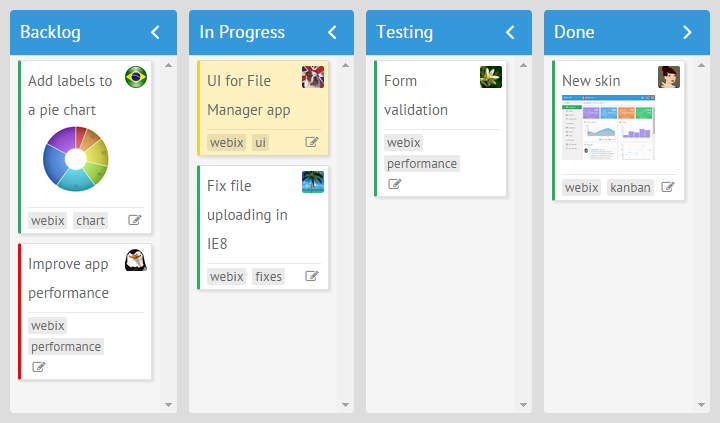
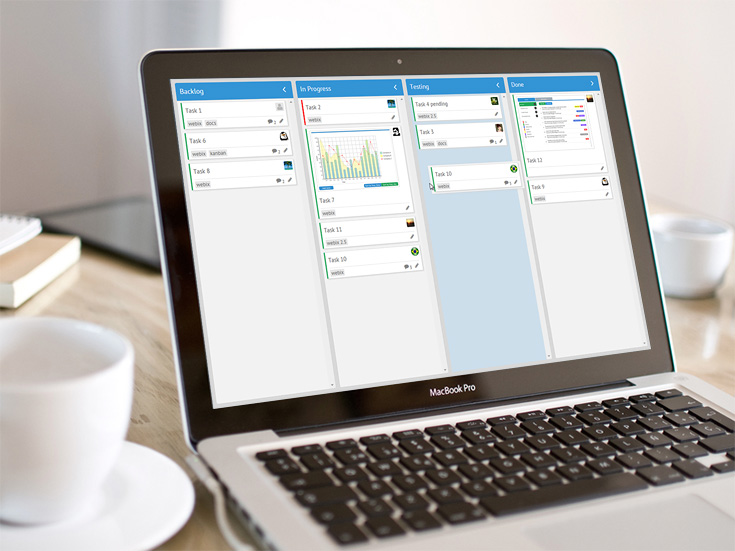
In this article we’ll describe the stages of creating a basic Kanban Board with the Webix library. Tasks on the board will be supplemented with tags, images and personal avatars for tasks’ assignees. There will be icons that allow opening a form for editing tasks. Besides, you’ll learn how to customize the styling of the board.

webix kanban board

You can check the live demo of the ready Kanban Board.

Material Design in Webix UI

Material Design is a visual language that was developed by Google and is becoming trendy in mobile and web apps development. It is aimed at increasing the usability of application interfaces while preserving simplicity and nice look and feel of the apps. Web apps with this design can easily adapt across various platforms and all types of devices.

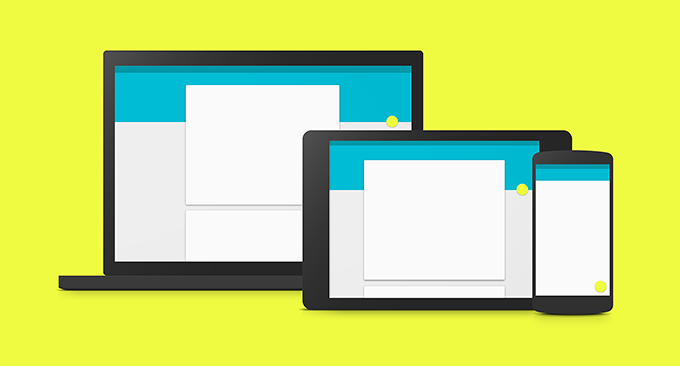
material design

Webix team was inspired by Google Material Design and created a new skin in accordance with the described visual principles.

Checkboxes in DataTables. Little-known techniques

You probably already know that DataTable has the ability to show checkboxes instead of plain text data. It allows you to provide a simple solution for status marking and data selection.

Basic checkboxes

The minimal code for initializing a DataTable with checkboxes will look as follows:

webix.ui({
  view:"datatable",
  columns:[
    { id:"status", header:"Is Active", width:80, css:"center",
        template:"{common.checkbox()}"},
    { id:"value", header:"Records", fillspace:1 },
  ],
  data: [
    { status:0, value:"Record A"},
    { status:1, value:"Record B"},
    { status:0, value:"Record C"}
  ]
});

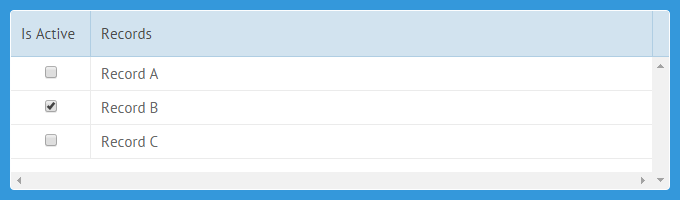
It will result in a nice-looking JavaScript grid presented in the picture below. The “{common.checkbox()}” line in the template expands in a checkbox control.

Basic Webix Checkboxes


Live Demo >>

Enhance File Management with a Webix widget File Manager

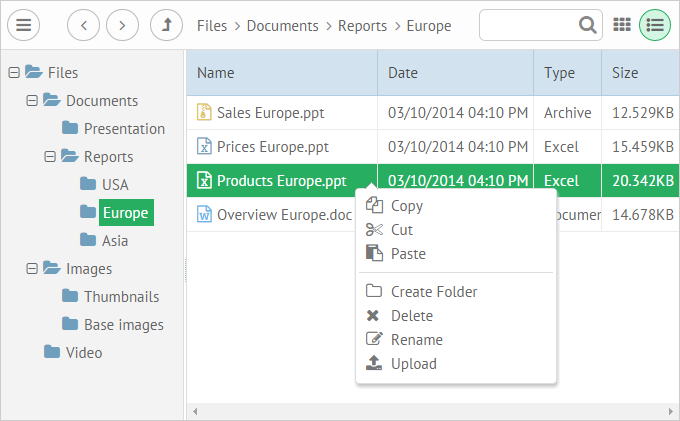
With the increase in using web applications, the need for a widget that allows working with hierarchical data becomes primary. A web-based file manager is a good solution for managing such type of data within any modern web browser.

Today we are glad to present you a new Webix widget intended for organizing your data in the Internet – JavaScript File Manager. It is a JavaScript and HTML5 component that allows you to manage hierarchical data, e.g. files and folders.

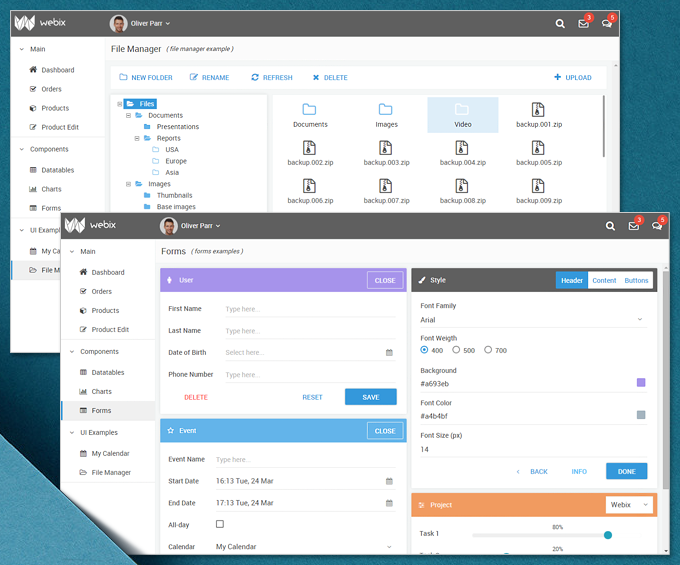
Webix File Manager Widget

Webix 2.2: New Widgets Features and UI Improvements

We are happy to inform you about the update of Webix UI library. The new version 2.2 introduces plenty of new handy features and lots of other significant improvements.

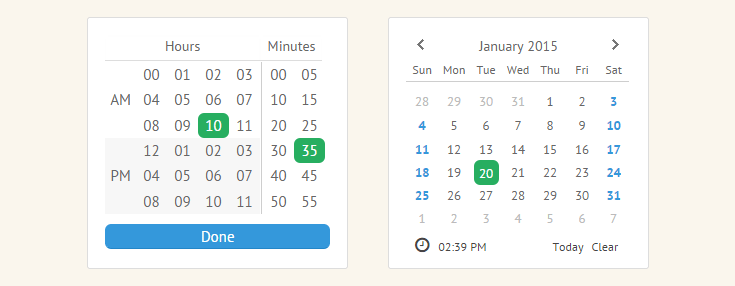
New Buttons in Calendar

Version 2.2 has brought new optional “Clear” and “Today” buttons to the Calendar widget.
The button “Today” makes it possible to view the current calendar date. The “Clear” control is intended for removing the date selection.

Clear and Today Button in Webix Calendar

These buttons will be visible by default. If you need to hide these controls, you can easily do it with one codeline.

Webix Kanban Board – Perfect Widget to Improve Your Workflow

We are glad to present you a new Webix widget Kanban Board. This is a tool that allows tracking the work flow and change it on the go according to the requirements. Thus, you will develop all your products Just-in-time.

Moreover, Kanban displays the work processes in a transparent way. It allows team members to know what they should be working on, track the workload level of each participant and, as a result, be aware of the real state of project development.

With Webix Kanban, you’ll get the entire idea of your business process and will be able to achieve amazing operational results in terms of quality and performance.

kanban board free

If you would like to get Webix Kanban Board, please go here.

Webix 2.1: Improved Compatibility with jQuery, Bootstrap and Beyond

We are glad to inform you about the update of Webix to version 2.1. This release presents a wide range of features. Most of them are aimed to improve the current compatibility of the Webix widgets with frameworks, libraries and browsers. Version 2.1 also includes some UI improvements and general bug fixes.

Compatibility with Bootstrap

Since version 2.1, Webix runs with Bootstrap, a popular HTML, CSS, and JS framework, even better, which allows you to build nice web apps which contain beautiful elements.

webix compatibility with bootstrap

1 20 21 22 23 24 26